Ultra (UOS)

How to Buy Ultra (UOS) on LBank

Learn how to buy Ultra (UOS) on LBank, including payment methods such as credit cards, debit cards, Apple Pay, and bank transfers, as well as the purchase process, preparations, and FAQs.

Step 1
Download the LBank App
Please download the LBank App and register to get started
Step 2
Fund your account
Deposit using your preferred payment method.
Step 3
Choose your cryptocurrency
Select the crypto you want to buy from over 3,000,000 cryptocurrencies available on LBank Exchange or Wallet.

Purchase Decision Overview

Credit / Debit Card

Fee
Variable Fees
Processing Time
Usually within 1 minute, up to 48 hours
Minimum Purchase Amount
Starting from approx. 10–15 USD
Supported Regions
Subject to region, fiat currency, issuing bank, and payment channel support

Bank Transfer / Local Transfer

Fee
Variable Fees
Processing Time
Depends on the payment method; some local channels may be faster
Minimum Purchase Amount
Starting from approx. 1–10 USD
Supported Regions
Subject to local payment channel support
Three Simple Steps to Buy UOS on LBank
1
Register an LBank account
Register with your email or mobile number and complete the basic information. If you already have an account, log in directly.
Sign up
2
Complete Identity Verification (KYC)
Once your identity is verified, you can access trading, withdrawals, and other features to enjoy LBank’s crypto service!
Verify
3
Select a Payment Method and Buy UOS
Select a payment method such as credit card, bank transfer, or Apple Pay, enter the amount, confirm the order, and buy with one click.
Buy Now
Register an LBank account

How to Buy UOS on LBank: Payment Methods Overview

Explore the available payment methods for buying UOS on LBank, including credit card, debit card, bank transfer, Apple Pay, Google Pay, PayPal, and P2P, to quickly choose the most suitable way to buy UOS.

Credit / Debit Card
Credit / Debit Card
Processing TimeUsually within 1 minute; up to 48 hours
Use a Visa/Mastercard that supports international online transactions and ensure 3D Secure is enabled; if it fails, try a different card or try again later
Common Reasons for Failure: The issuing bank declined the cryptocurrency transaction; insufficient balance; 3D Secure verification failed; risk control interception; or region/card network not supported
Bank Transfer / Local Transfer
Processing TimeInstant or 1–3 Business Days
Verify the receiving account, reference code, and transfer network, and use a bank account consistent with your identity verification
Common Reasons for Failure: Incorrect receiving information or reference code; name mismatch; bank processing delay; or unsupported transfer network

What Do You Need to Prepare Before Buying Ultra (UOS) on LBank?

Check the preparations required before buying Ultra (UOS) on LBank, including account registration, identity verification (KYC), payment methods, regional availability, and pre-purchase precautions to help you smoothly complete the BTC purchase process.

Suitable for
Users who want to quickly buy UOS with fiat
Before You Buy: Checklist
Register and log in to your account
Complete required KYC
Prepare payment method
Confirm regional availability,Check limits / fees / processing time
User Path
Buy Crypto
One-Click Buy

How to Buy Ultra (UOS) on LBank – Step-by-Step Guide

Before you begin, decide how you’d like to pay:

Pay with fiat

If you're new to crypto, using fiat currency (such as USD, EUR, etc.) is the easiest way to buy Ultra (UOS). LBank supports various payment methods, including debit cards, credit cards, bank transfers, and other local payment options where available. You may need to fund your LBank account before making a purchase.

Pay with other cryptocurrencies

If you already hold other cryptocurrencies, you can trade them for Ultra (UOS) on LBank. Please make sure that LBank supports the trading pair you need (e.g., Bitcoin (BTC)). LBank offers a wide range of trading pairs, allowing you to conveniently convert your existing crypto into Ultra (UOS).

LBank supports multiple payment methods

You can use the following payment methods to purchase Ultra (UOS) on LBank:
Debit card
Credit / Debit Card
Paypal
Apple Pay
Google Pay

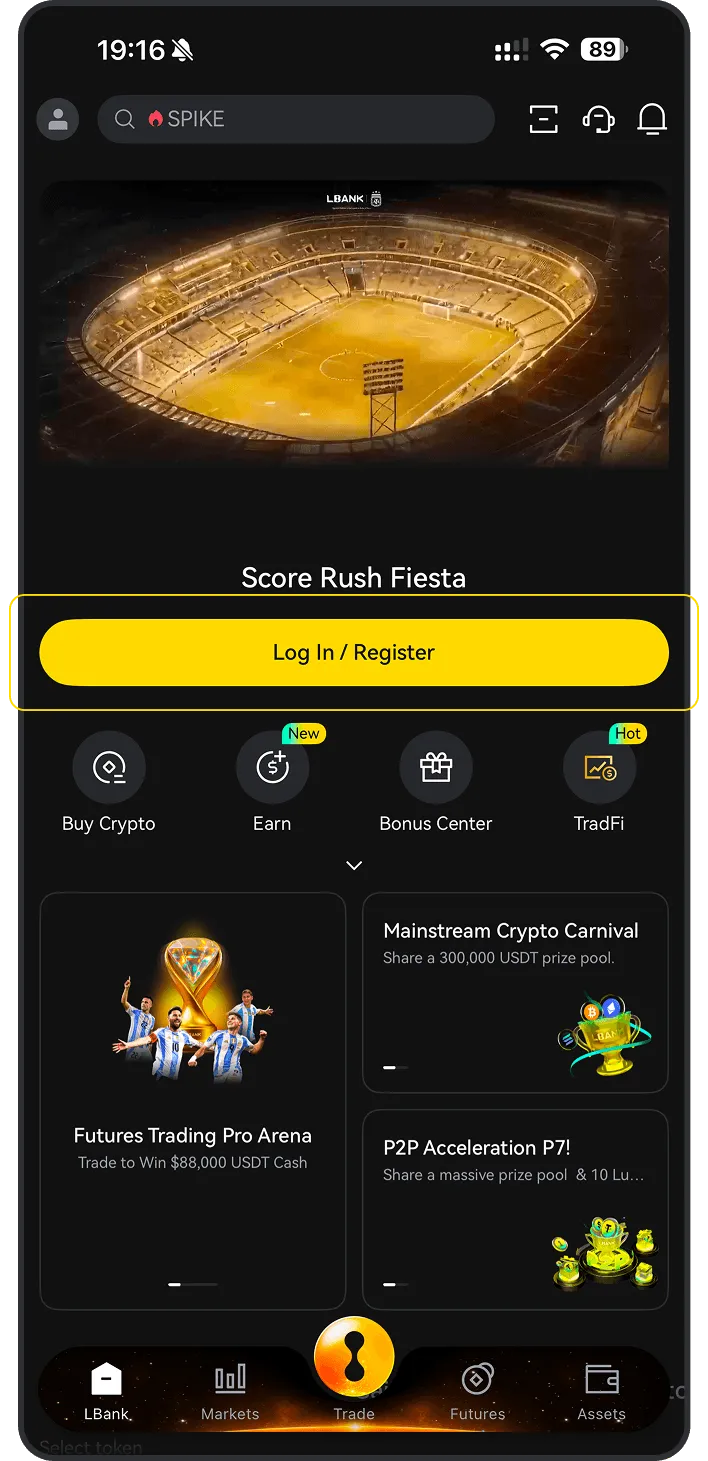
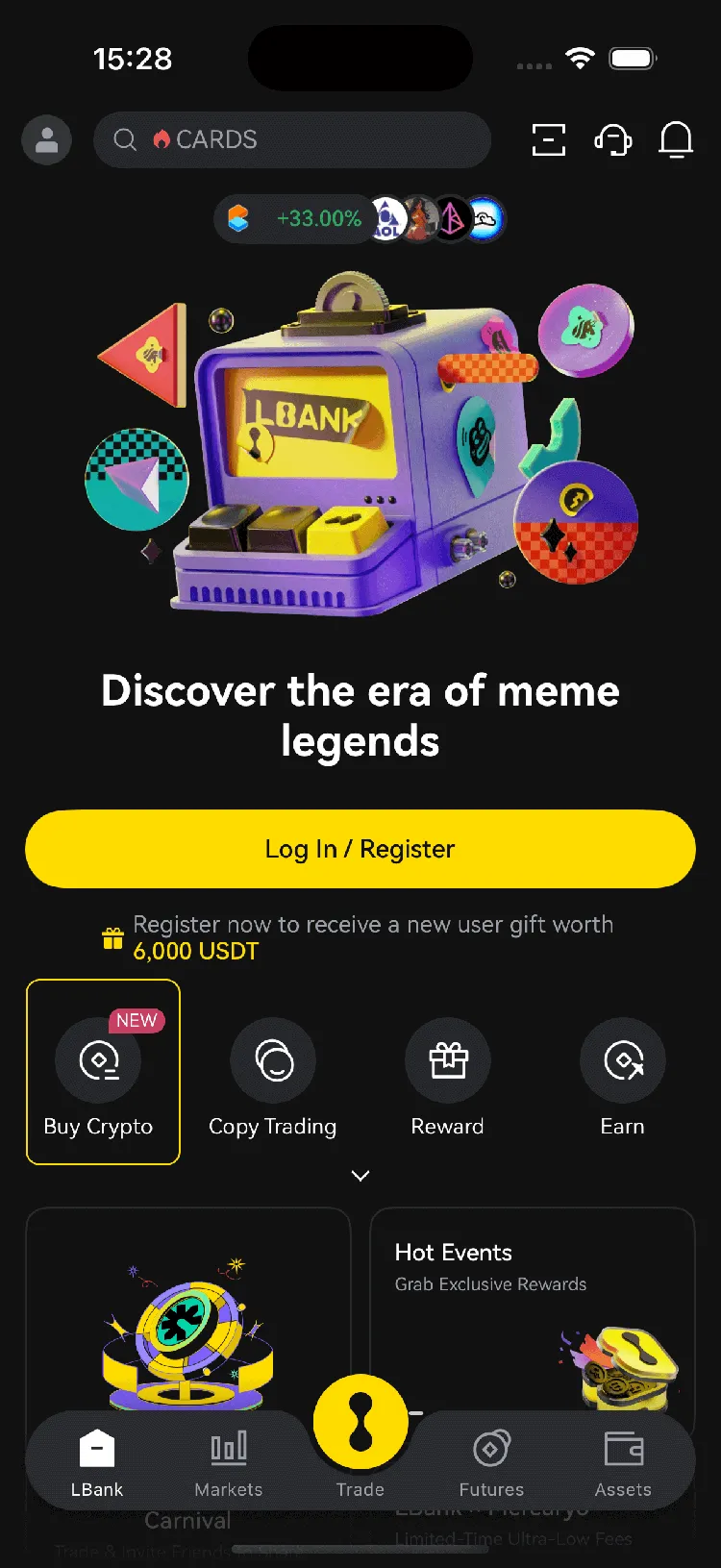
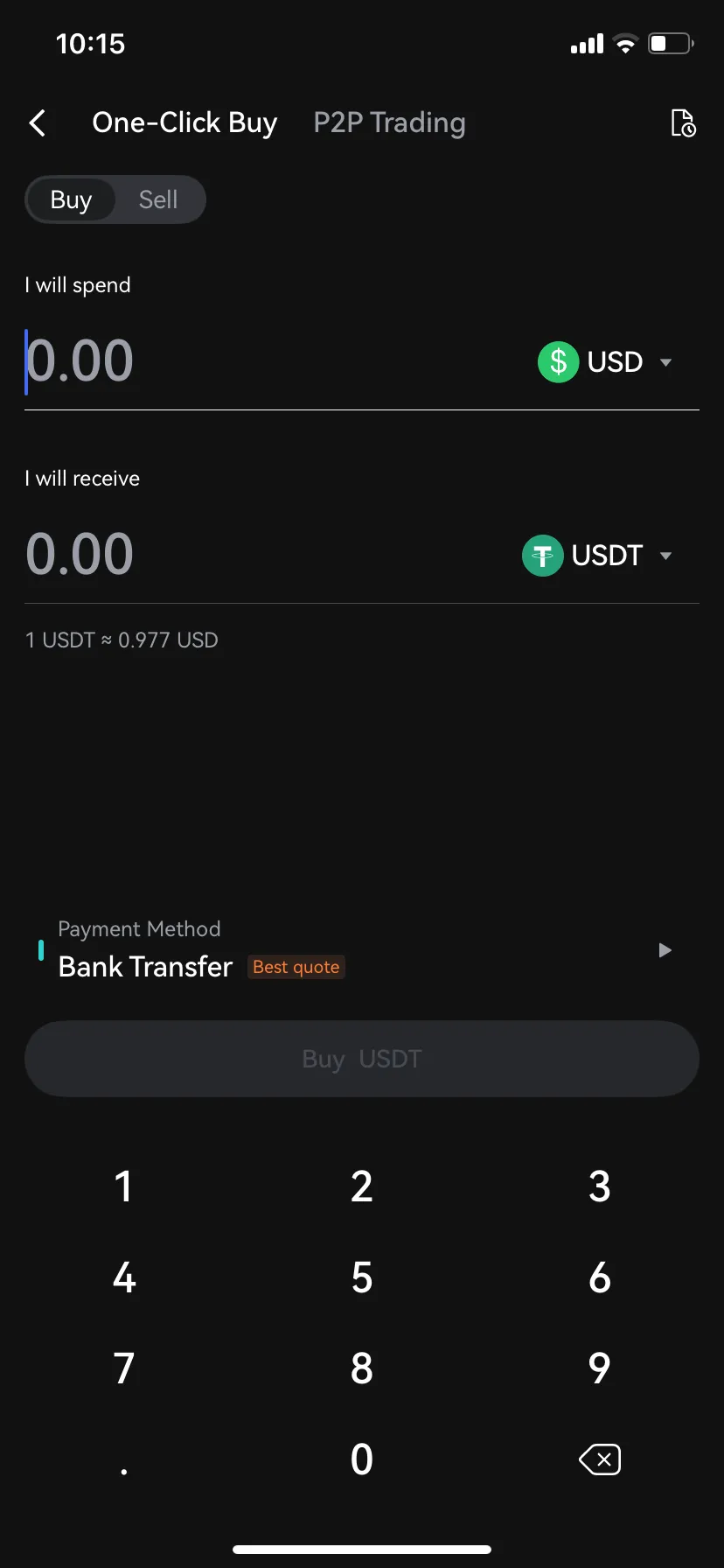
Mobile app guide

1
Open the LBank mobile app and tap “Buy Crypto”
2
Select “Buy”
3
Choose , enter the fiat currency you want to use, input the amount, then tap “Buy” or “Confirm”

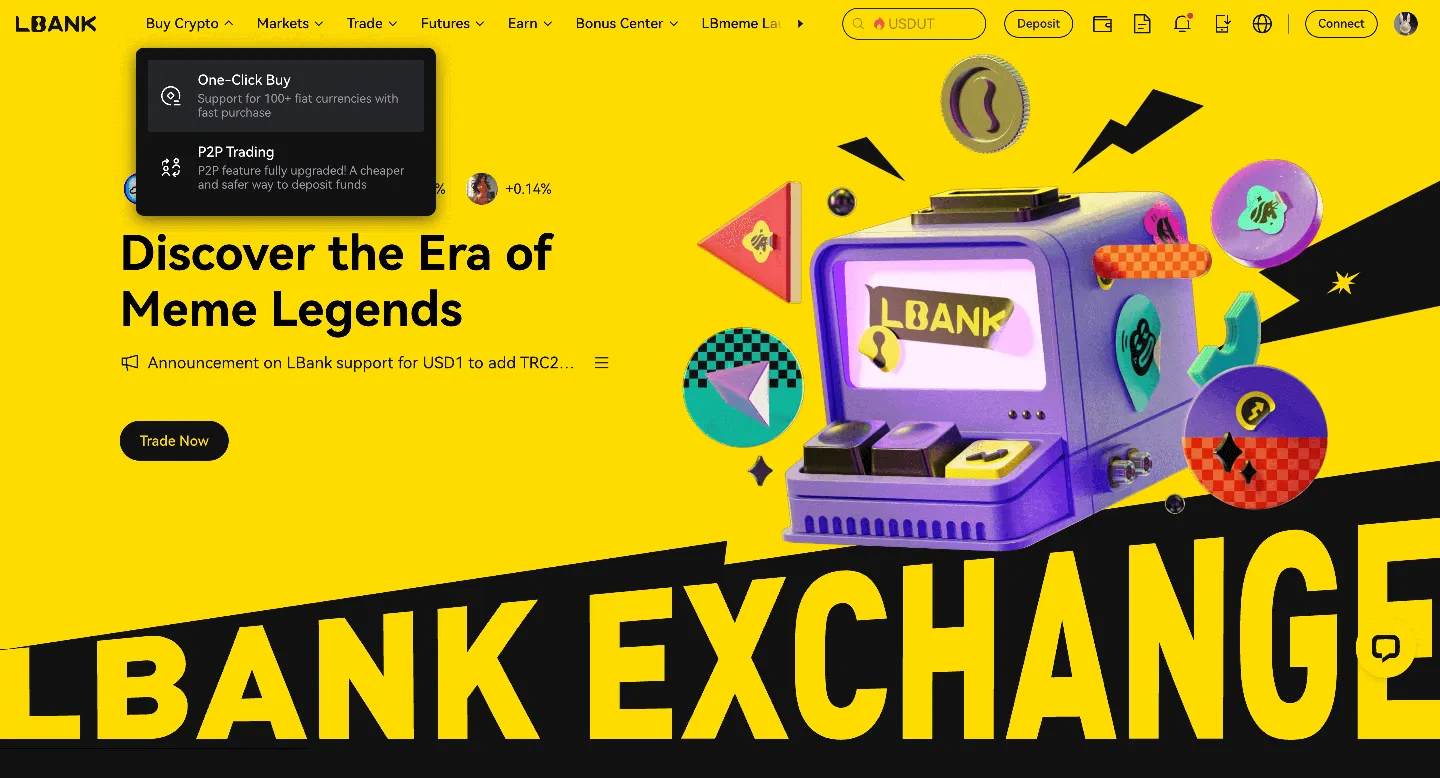
Desktop guide

1
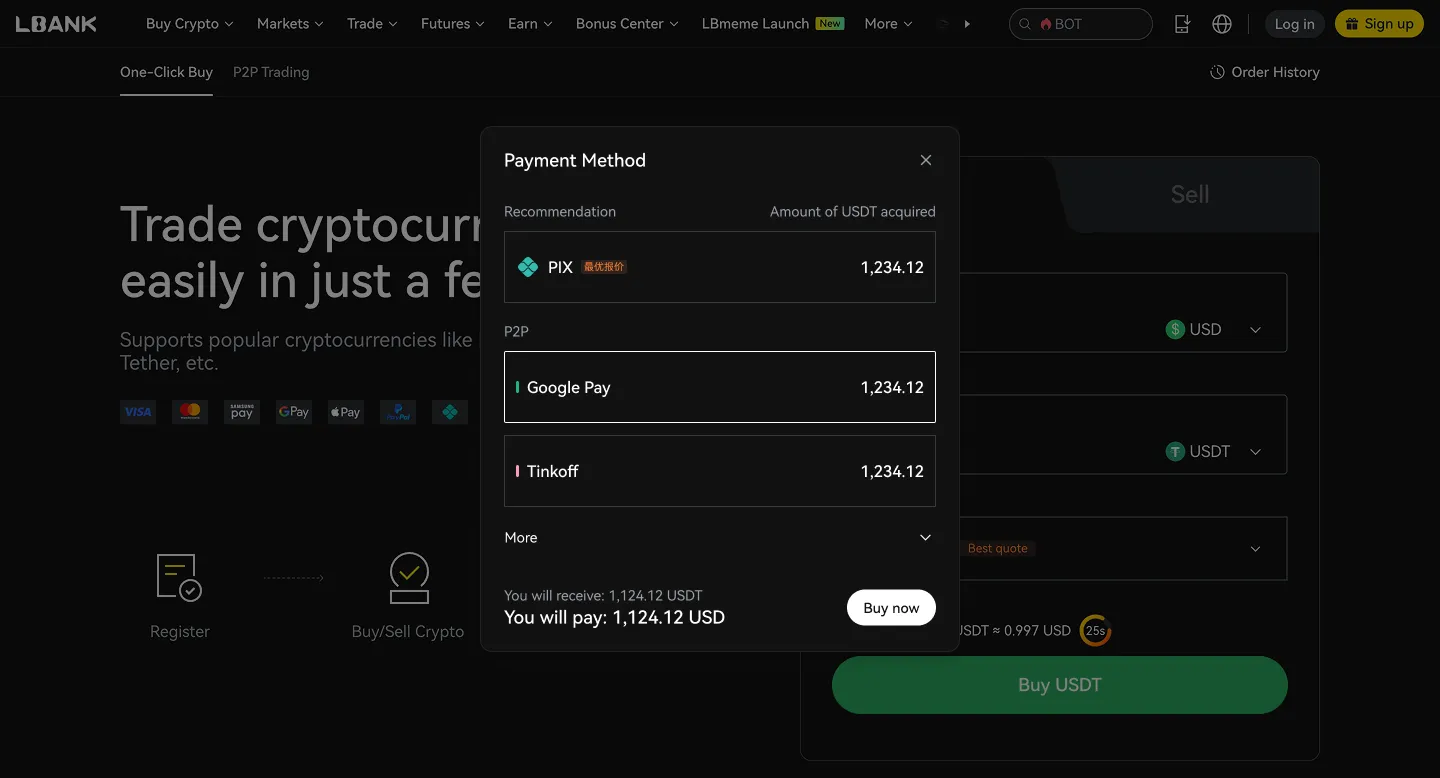
Log in to LBank on your desktop browser and click the “One-Click Buy” option.
2
Under the “One-Click Buy” tab:
(a). Choose the fiat currency you want to use
(b). Select the Ultra (UOS) you want to purchase
(c). Enter an amount or use quick-select options (e.g., 100, 200, 500, max)
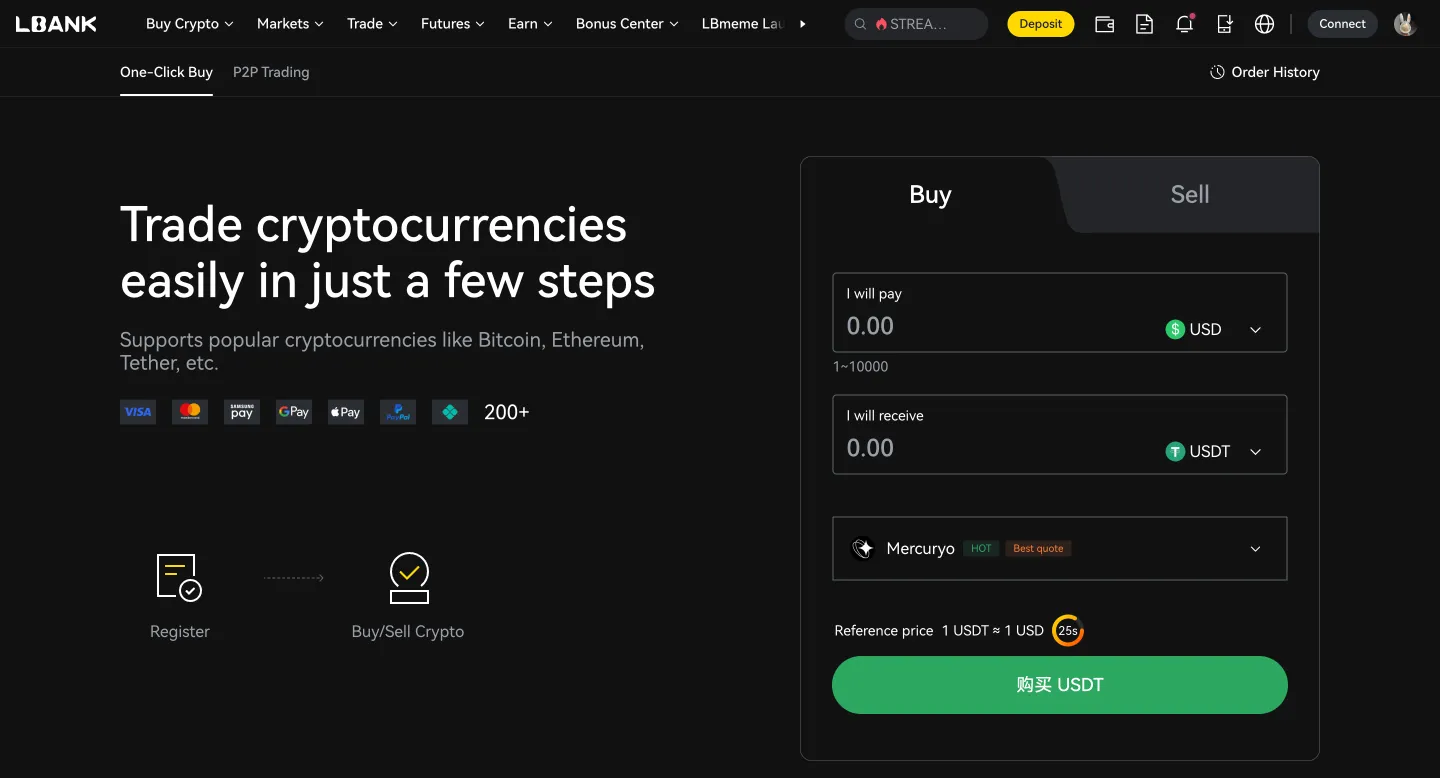
(d). Choose your payment method
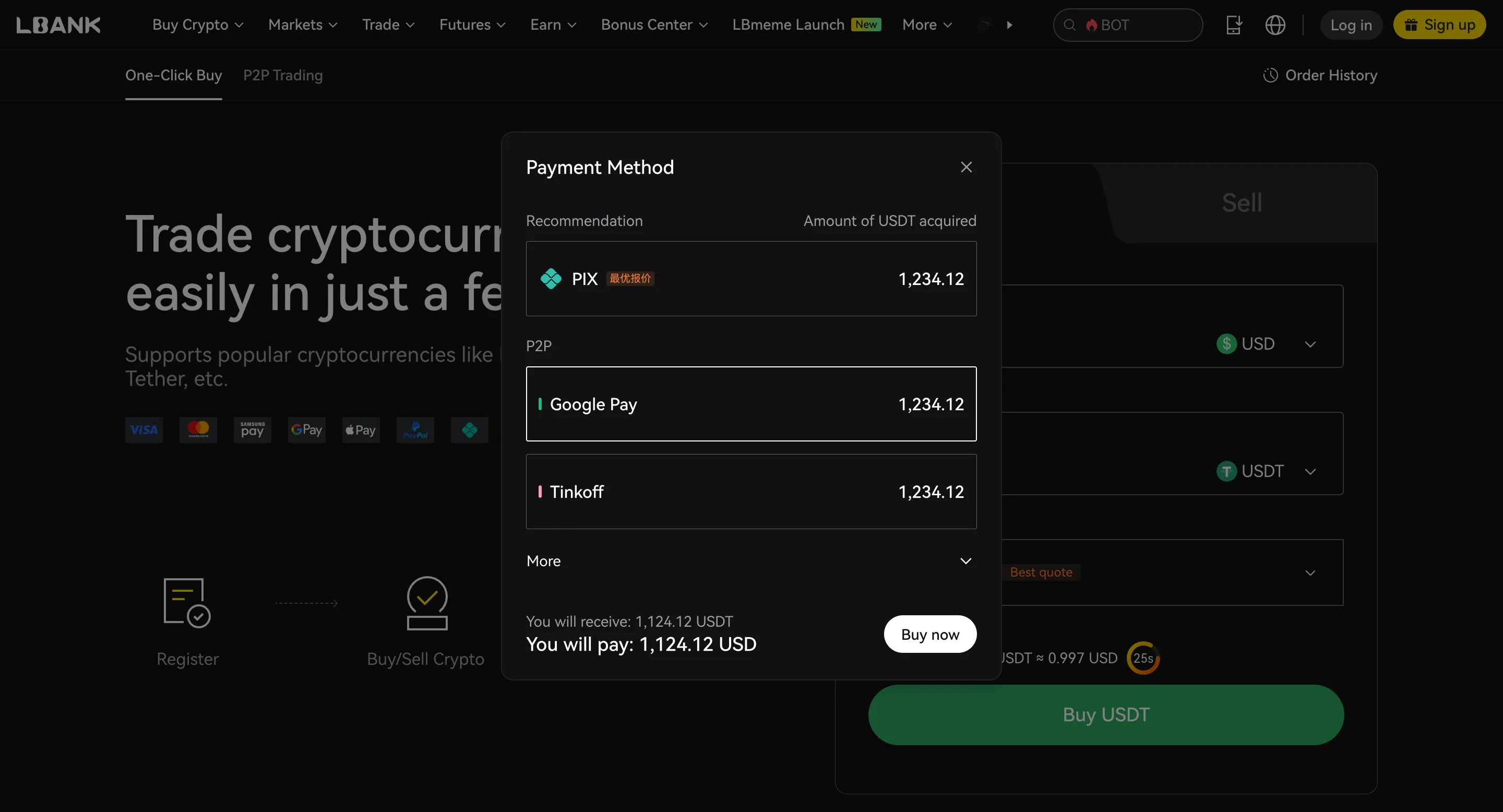
(e). Click “Confirm” or “Buy now”
P2P Trading

Buy Sell
Merchant
Price
Amount | Limit
Payment Method
Action
1.000 USD
265.07 USDT
5.000 - 265.070USD
Bank Transfer
1.000 USD
18.93 USDT
10.000 - 18.930USD
Bank Transfer
1.000 USD
57.25 USDT
10.000 - 57.000USD
Bank Transfer

What is Ultra?

Ultra is a protocol and platform positioned to disrupt the $140bn USD gaming industry using blockchain technology to allow anyone to build and operate their own game distribution platform or virtual goods trading service. In doing so, it challenges the current monopoly held by industry heavyweights Steam, Google, and Apple. This will unlock new opportunities and create value for all the actors involved. Large commercial partnerships are signed, the protocol and platform have been built and will be launched in open beta in October 2019. UOS is the Token that powers the Ultra Ecosystem and can be used to purchase everything on the platform, including games, virtual items and ads for game developers. Ultra will accept traditional forms of payment such as Paypal and credit cards as well. These fiat currency transactions are converted to UOS seamlessly on the backend and are completed on the blockchain with UOS tokens. The token will also be used across the platform in many non-transactional ways including betting, tournaments, and donations. TIMELOCK: 10 to 20% of every transaction will be kept in a smart contract for 60 days. In addition, 5% of Ultra profits will be reserved for 2 years to fund exclusive games that use its blockchain and NFTs capabilities. ENGAGEMENT: Tokens are earned by performing specific actions such as; helping developers to build better games; watching ads; beta testing; answering surveys, and more. STACKING: Players can get rewarded with free games, swag and exclusive content just by holding tokens. SPENDABILITY: Users can buy and sell games/items for UOS, and in hundreds of shops through partners.

Is Ultra (UOS) a good investment?

Whether Ultra (UOS) is a good investment depends on your personal financial situation and risk tolerance. Cryptocurrency investments are speculative and can be highly volatile.


Before investing in Ultra (UOS) or any cryptocurrency, consider the following:

Your financial goals
Are you seeking short-term gains or long-term growth?
Your risk tolerance
How much potential loss are you comfortable with?
Diversification
Don’t put all your eggs in one basket. Spread your investments across different types of assets.
Your goals and time horizon
Cryptocurrencies are best suited for long-term investors. Disclaimer: This is not financial advice. Please do thorough research before making any investment decisions.

Crypto Calculator

I will spend
I will receive
1 BITCOIN vs -- USD

Buy Ultra (UOS)

UOS / USDT
$0.006068
+0.33%24H
Today's real-time price of Ultra (UOS) is $0.006068, with a 24-hour trading volume of $340.325K. We update UOS to USD price in real-time. The 24-hour market performance of UOS is
+0.33%
View Ultra (UOS)

Planning to buy UOS?

See if other users are buying UOS:
Yes
No

Buying Ultra (UOS) in other countries?

No matter where you are, as long as you can use LBank, you can easily buy Ultra with the lowest fees and the highest security. Select your country in the search box below to start buying Ultra in your preferred location:
Select country/region

Payment Method

FAQ
Hot TopicsAccount Deposit/WithdrawActivitiesFutures
    default
    default
    default
    default
    default