HomeBuy Crypto GuideBuy K0Buy K0 in Canada
Kill Zero (K0)

如何在Canada购买Kill Zero (K0)

Learn how to buy Kill Zero (K0) on LBank, including payment methods such as credit cards, debit cards, Apple Pay, and bank transfers, as well as the purchase process, preparations, and FAQs.

Step 1
Download the LBank App
Please download the LBank App and register to get started
Step 2
Fund your account
Deposit using your preferred payment method.
Step 3
Choose your cryptocurrency
Select the crypto you want to buy from over 3,000,000 cryptocurrencies available on LBank Exchange or Wallet.

Purchase Decision Overview

Credit / Debit Card

Fee
Variable Fees
Processing Time
Usually within 1 minute, up to 48 hours
Minimum Purchase Amount
Starting from approx. 10–15 USD
Supported Regions
Subject to region, fiat currency, issuing bank, and payment channel support

Bank Transfer / Local Transfer

Fee
Variable Fees
Processing Time
Depends on the payment method; some local channels may be faster
Minimum Purchase Amount
Starting from approx. 1–10 USD
Supported Regions
Subject to local payment channel support
Three Simple Steps to Buy K0 on LBank
1
Register an LBank account
Register with your email or mobile number and complete the basic information. If you already have an account, log in directly.
Sign up
2
Complete Identity Verification (KYC)
Once your identity is verified, you can access trading, withdrawals, and other features to enjoy LBank’s crypto service!
Verify
3
Select a Payment Method and Buy K0
Select a payment method such as credit card, bank transfer, or Apple Pay, enter the amount, confirm the order, and buy with one click.
Buy Now
Register an LBank account

How to Buy K0 on LBank: Payment Methods Overview

Explore the available payment methods for buying K0 on LBank, including credit card, debit card, bank transfer, Apple Pay, Google Pay, PayPal, and P2P, to quickly choose the most suitable way to buy K0.

Credit / Debit Card
Credit / Debit Card
Processing TimeUsually within 1 minute; up to 48 hours
Use a Visa/Mastercard that supports international online transactions and ensure 3D Secure is enabled; if it fails, try a different card or try again later
Common Reasons for Failure: The issuing bank declined the cryptocurrency transaction; insufficient balance; 3D Secure verification failed; risk control interception; or region/card network not supported
Bank Transfer / Local Transfer
Processing TimeInstant or 1–3 Business Days
Verify the receiving account, reference code, and transfer network, and use a bank account consistent with your identity verification
Common Reasons for Failure: Incorrect receiving information or reference code; name mismatch; bank processing delay; or unsupported transfer network

What Do You Need to Prepare Before Buying Kill Zero (K0) on LBank?

Check the preparations required before buying Kill Zero (K0) on LBank, including account registration, identity verification (KYC), payment methods, regional availability, and pre-purchase precautions to help you smoothly complete the BTC purchase process.

Suitable for
Users who want to quickly buy K0 with fiat
Before You Buy: Checklist
Register and log in to your account
Complete required KYC
Prepare payment method
Confirm regional availability,Check limits / fees / processing time
User Path
Buy Crypto
One-Click Buy

How to Buy Kill Zero (K0) on LBank – Step-by-Step Guide

Before you begin, decide how you’d like to pay:

Pay with fiat

If you're new to crypto, using fiat currency (such as USD, EUR, etc.) is the easiest way to buy Kill Zero (K0). LBank supports various payment methods, including debit cards, credit cards, bank transfers, and other local payment options where available. You may need to fund your LBank account before making a purchase.

Pay with other cryptocurrencies

If you already hold other cryptocurrencies, you can trade them for Kill Zero (K0) on LBank. Please make sure that LBank supports the trading pair you need (e.g., Bitcoin (BTC)). LBank offers a wide range of trading pairs, allowing you to conveniently convert your existing crypto into Kill Zero (K0).

LBank supports multiple payment methods

You can use the following payment methods to purchase Kill Zero (K0) on LBank:
Debit card
Credit / Debit Card
Paypal
Apple Pay
Google Pay

Mobile app guide

1
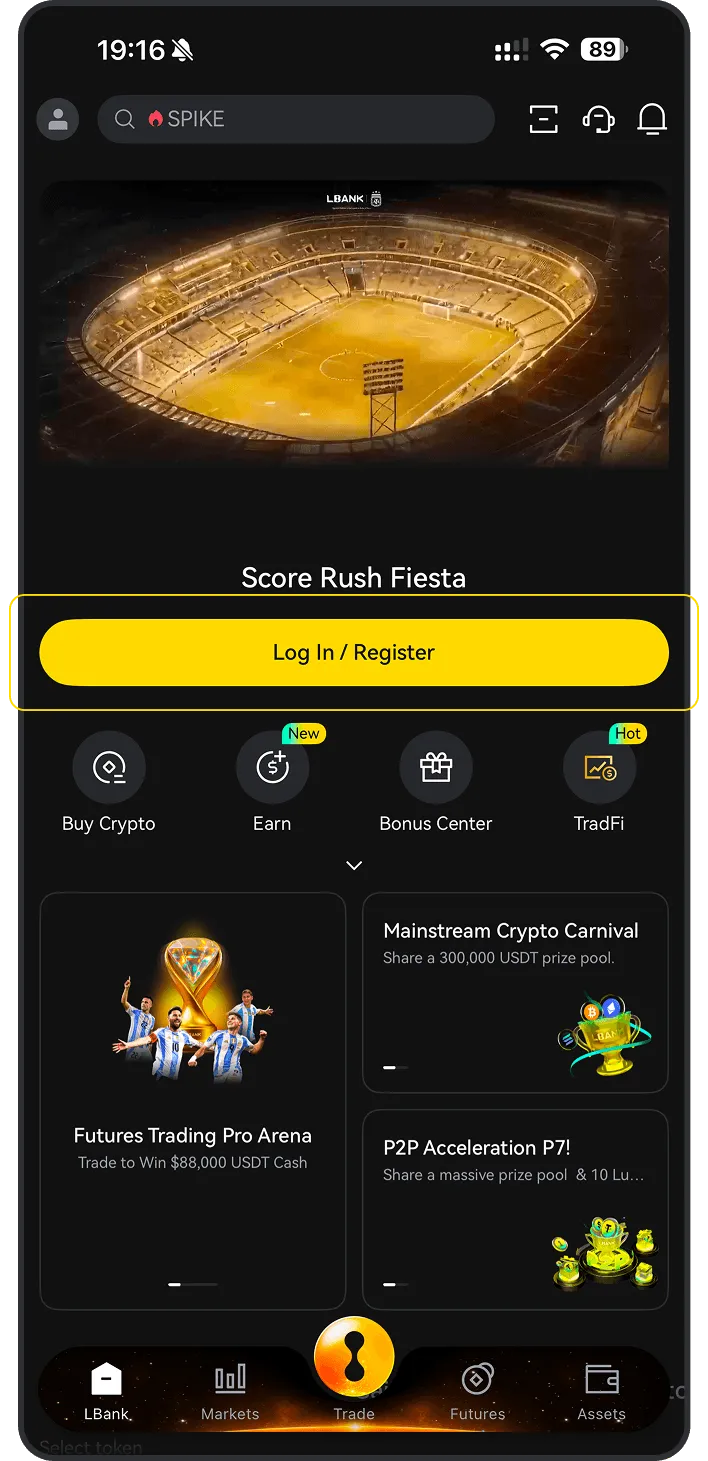
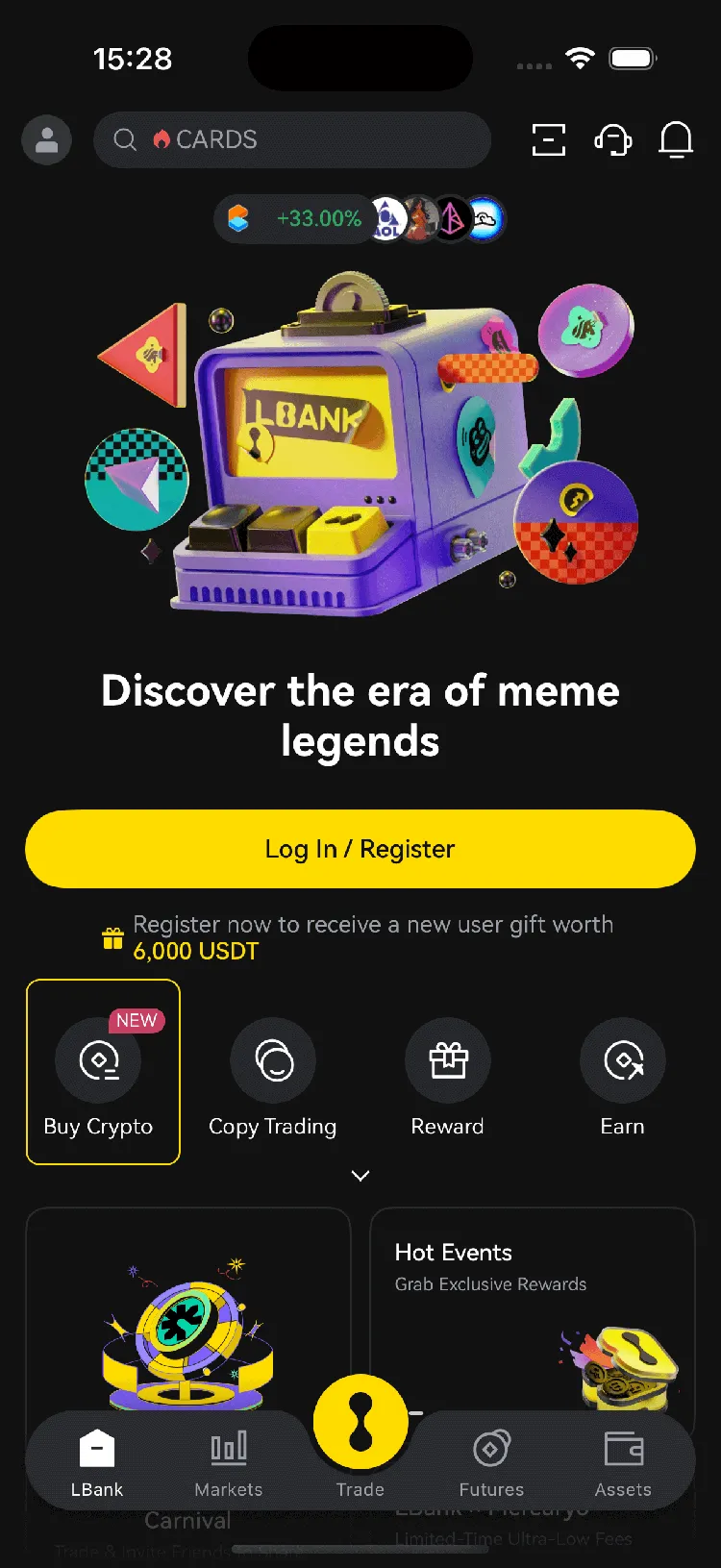
Open the LBank mobile app and tap “Buy Crypto”
2
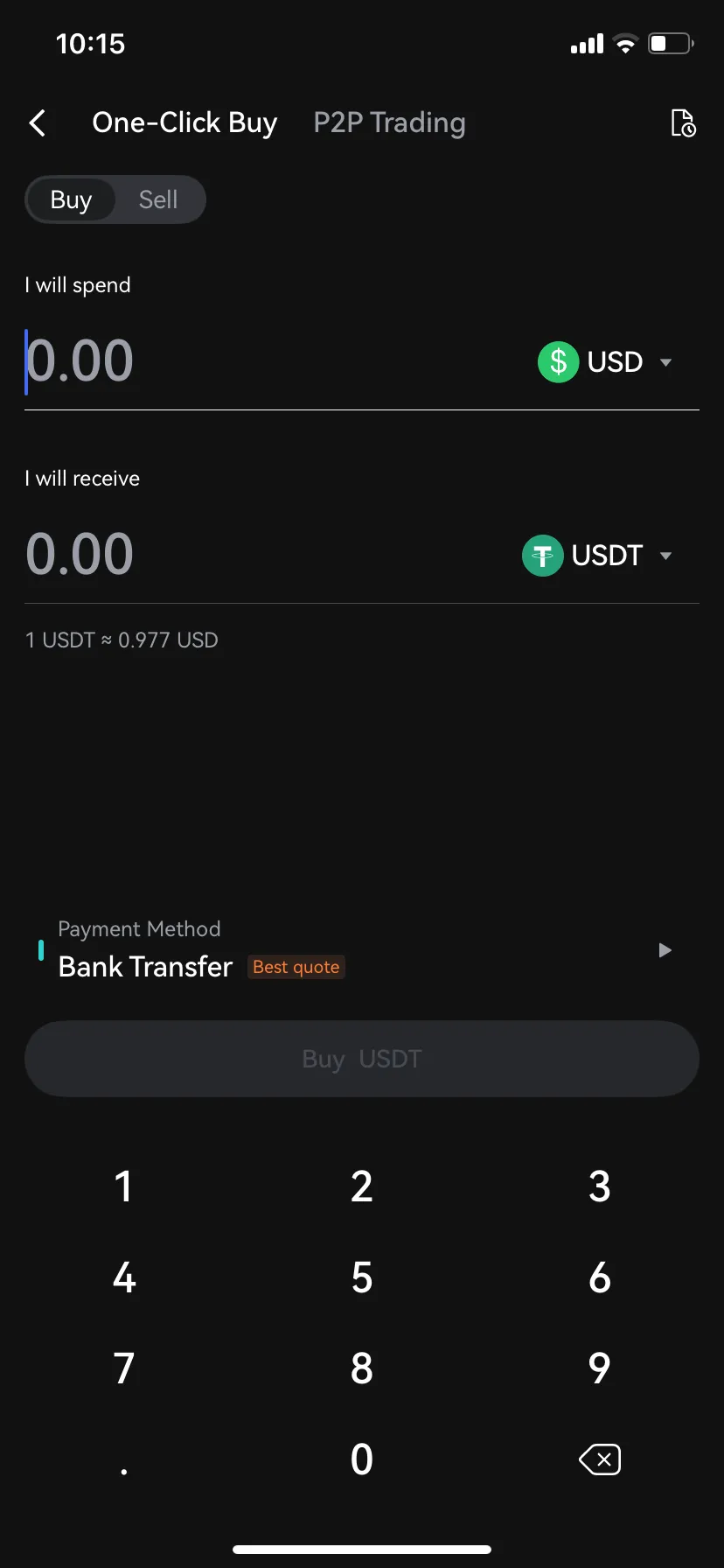
Select “Buy”
3
Choose , enter the fiat currency you want to use, input the amount, then tap “Buy” or “Confirm”

Desktop guide

1
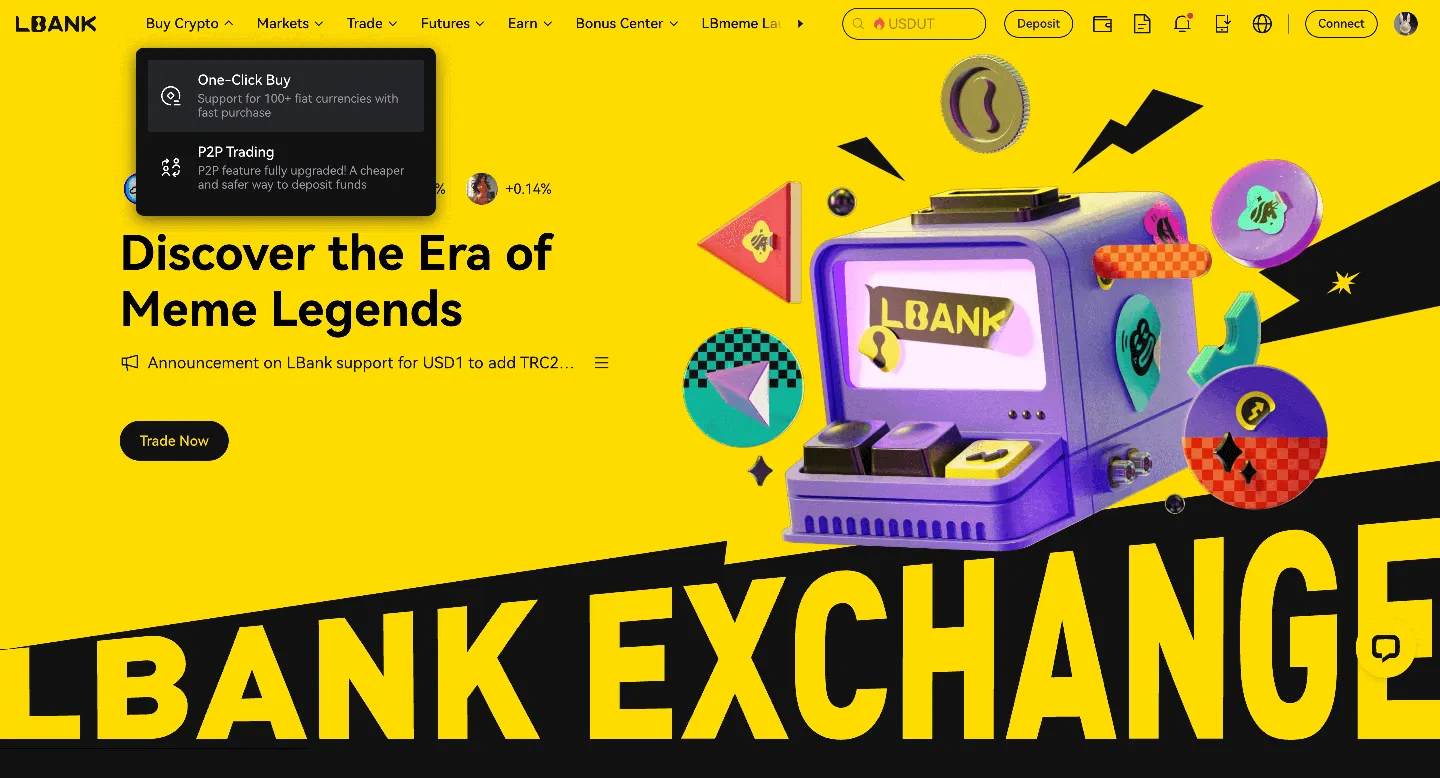
Log in to LBank on your desktop browser and click the “One-Click Buy” option.
2
Under the “One-Click Buy” tab:
(a). Choose the fiat currency you want to use
(b). Select the Kill Zero (K0) you want to purchase
(c). Enter an amount or use quick-select options (e.g., 100, 200, 500, max)
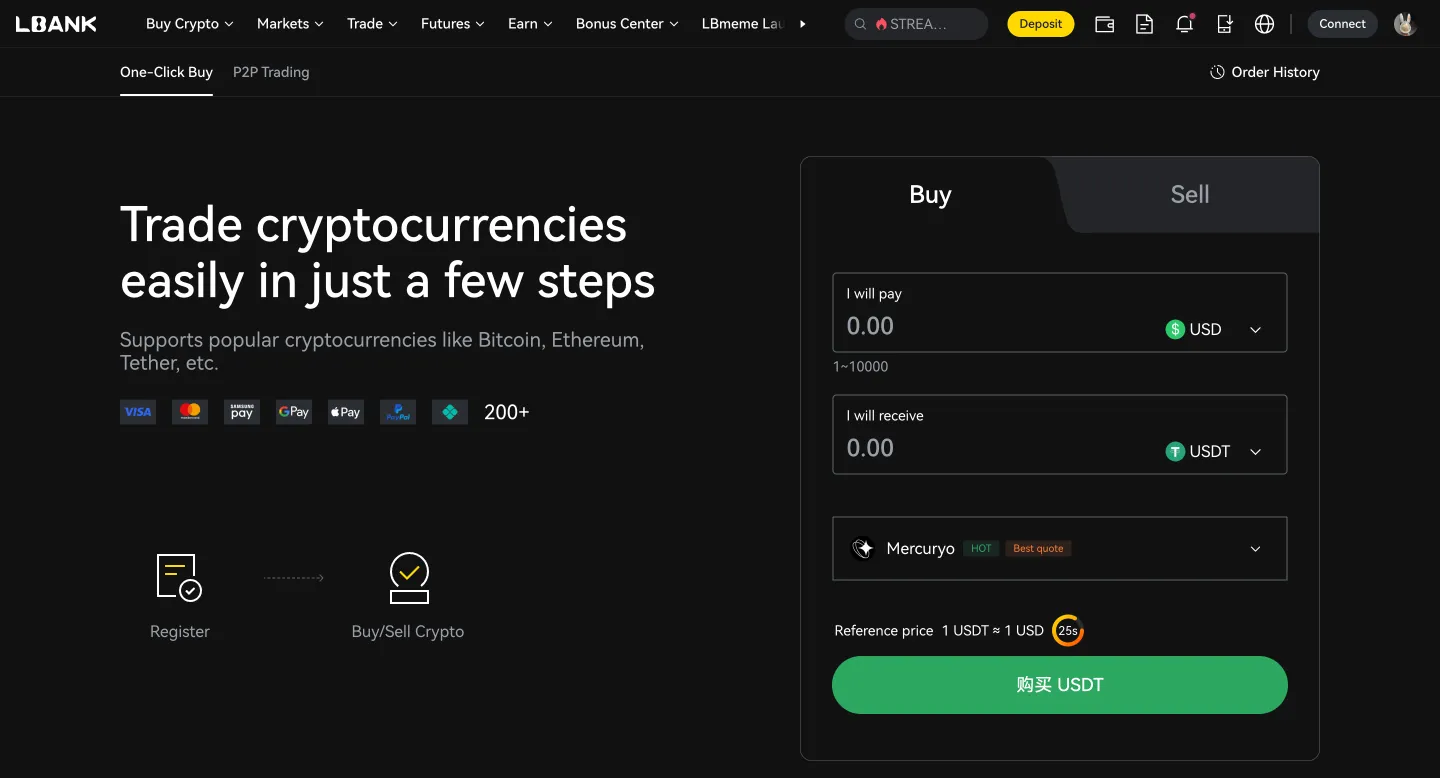
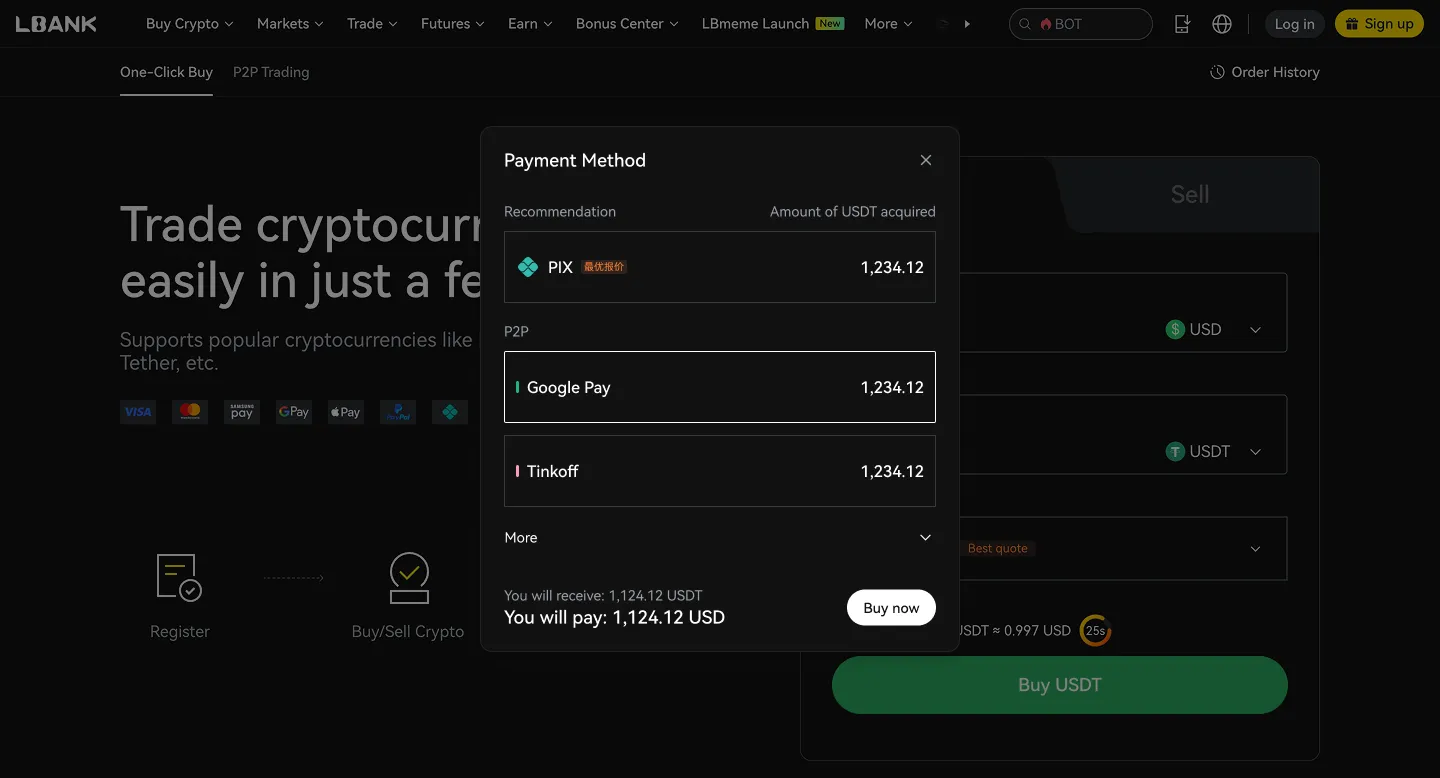
(d). Choose your payment method
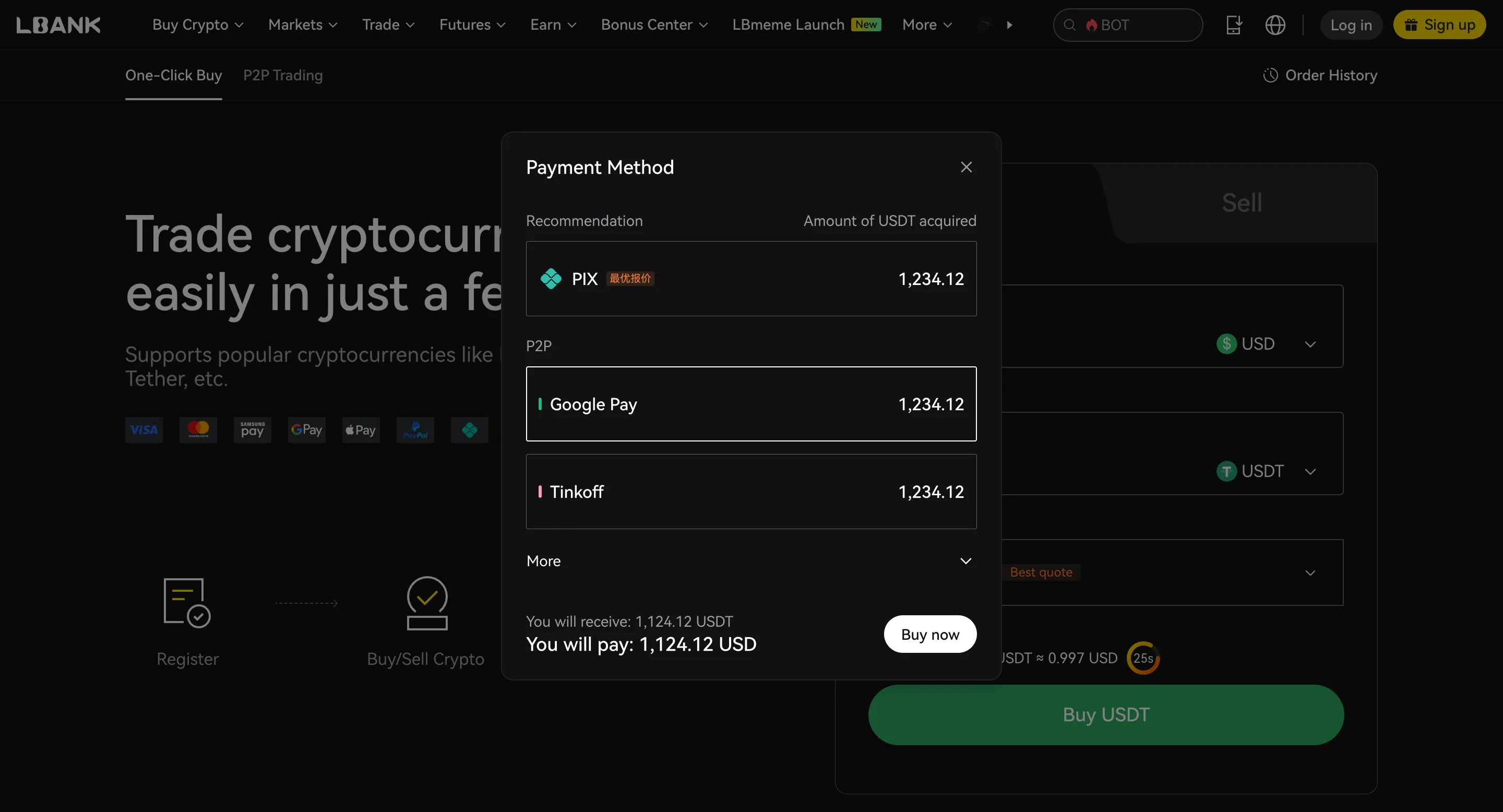
(e). Click “Confirm” or “Buy now”
P2P Trading

Buy Sell
Merchant
Price
Amount | Limit
Payment Method
Action
1.000 USD
159.97 USDT
5.000 - 159.970USD
Bank Transfer
1.000 USD
40.00 USDT
30.000 - 40.000USD
Bank Transfer
1.000 USD
57.25 USDT
10.000 - 57.000USD
Bank Transfer

What is Kill Zero?

Kill Zero is a meme token dedicated to the mission of eliminating zeros. It operates on the Binance Smart Chain and was created by a developer who is fed up with rug pulls, pump and dump schemes, and honeypots. The intention is to create a level playing field for all investors. Kill Zero is minted in a fair manner, and the founder, an experienced BSC developer, has a proven track record with projects that have reached more than 2000x returns. You can check their history on their Twitter account.

Is Kill Zero (K0) a good investment?

Whether Kill Zero (K0) is a good investment depends on your personal financial situation and risk tolerance. Cryptocurrency investments are speculative and can be highly volatile.

Before investing in Kill Zero (K0) or any cryptocurrency, consider the following:

Your financial goals
Are you seeking short-term gains or long-term growth?
Your risk tolerance
How much potential loss are you comfortable with?
Diversification
Don’t put all your eggs in one basket. Spread your investments across different types of assets.
Your goals and time horizon
Cryptocurrencies are best suited for long-term investors. Disclaimer: This is not financial advice. Please do thorough research before making any investment decisions.

Fees, limits, and processing time for buying K0 on LBank

Compare fees, transaction limits, and estimated processing times across different payment methods. Actual fees and availability may vary by region, fiat currency, payment method, and third-party providers. Please refer to the order page for final details.

ROI calculator

If I invest, how much profit will I make?
Invest
$
Enter
Please select a token
Date
2026-05-04
You will earn $-- in profit, with an ROI of --

What can you do with Kill Zero (K0)?

Investment
Buy and hold Kill Zero (K0), expecting its value to increase over time.
Trade
Actively trade Kill Zero (K0) on LBank to profit from price fluctuations.
Pay
Use Kill Zero (K0) to pay for goods and services where accepted.

Why is LBank the best platform to buy Kill Zero (K0)?

User-friendly interface
LBank offers a simple and intuitive platform for buying and selling Kill Zero (K0).
Competitive fees
LBank provides competitive trading fees for Kill Zero (K0).
Secure platform
LBank applies robust security measures to protect your funds.
Diverse trading pairs
LBank offers a wide range of trading pairs for Kill Zero (K0).
24/7 customer support
LBank provides customer support to help you with any questions or issues.
Mobile app
Trade Kill Zero (K0) anytime, anywhere using the LBank mobile app.
High liquidity
LBank offers excellent liquidity for Kill Zero (K0) trading, ensuring you can easily buy and sell your crypto assets.
Regulatory compliance
LBank complies with all regulatory requirements in the jurisdictions where it operates to ensure a compliant and secure trading environment

After buying K0, what is the best way to store it?

After buying K0, you can choose a storage method based on your usage frequency, holding period, and security needs. If you need to trade at any time, you can store it in your LBank account. If you prioritize self-custody or long-term security, consider using a personal wallet or a hardware wallet.

Store in your LBank account

Suitable for
Users who want to trade or convert at any time
Short-term BTC holders
Features
Ready to use immediately after purchase; easier to use
Ideal for frequent trading, conversions, or using platform features
Security Alert
Please enable 2FA
Please set an anti-phishing code
Only log in through official channels

Transfer to a personal hot wallet

Suitable for
Users who want to manage their own assets
Users who need daily transfers or on-chain usage
Features
More flexible; convenient for daily transfers and management
Better suited for small holdings and everyday use
Security Alert
Do not store seed phrases or private keys in the cloud
Do not save sensitive information via chat tools, email, or screenshots
Stay alert for phishing websites and fake wallet apps

Transfer to a hardware wallet

Suitable for
Long-term BTC holders
High-value holders who prioritize security
Features
Private keys are stored offline, offering enhanced security
Ideal for long-term storage of infrequently moved assets
Security Alert
Securely back up seed phrases offline
Never disclose your recovery phrase to anyone
Assets may be irrecoverable if the seed phrase is lost

FAQ

Crypto Calculator

I will spend
I will receive
1 BITCOIN vs -- USD

Buy Kill Zero (K0)

K0 / USDT
$0.000011
+0.35%24H
Today's real-time price of Kill Zero (K0) is $0.000011, with a 24-hour trading volume of $9.82. We update K0 to USD price in real-time. The 24-hour market performance of K0 is
+0.35%
View Kill Zero (K0)

Planning to buy K0?

See if other users are buying K0:
Yes
No

Buying Kill Zero (K0) in other countries?

No matter where you are, as long as you can use LBank, you can easily buy Kill Zero with the lowest fees and the highest security. Select your country in the search box below to start buying Kill Zero in your preferred location:
Select country/region

Payment Method

FAQ
Hot TopicsAccount Deposit/WithdrawActivitiesFutures
    default
    default
    default
    default
    default